Teams | Collaboration | Customer Service | Project Management

How to add bill rate for employees in Apploye?

In this video, we’ll walk you through how to add a bill rate for employees in Apploye, helping you accurately track billable hours and automatically calculate project amounts for client invoicing. What You’ll Learn: How to locate the bill rate configuration settings within employee profiles Step-by-step guide to setting up custom hourly billable rates How bill rates tie into project budgets and automated invoicing reports.

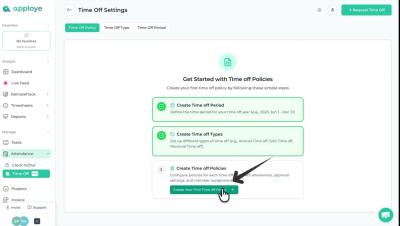
How to Set Leave Policy in Apploye

n this video, we’ll walk you through how to set a leave policy in Apploye, allowing you to establish clear time-off rules, assign them to the right team members, and automate your company's holiday or sick leave workflows. What You’ll Learn: How to access the Time Off settings and create a new leave policy Step-by-step guide to setting up custom leave balances, cycles, and restrictions How to assign specific employees or teams to your newly created policy.

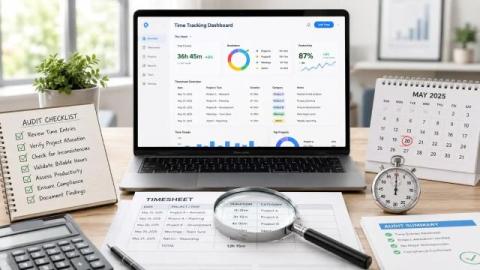
How to Audit Your Time Tracking Process: 7 Steps to Clean Data

An employee submits a time log showing 40 hours. The project budget shows 60 consumed. Yet nobody on the team can explain the difference. This mismatch isn’t from dishonesty. It comes from a process that’s never been audited. Rounded numbers, missing tags, and end‑of‑week recall instead of real‑time logging add up fast. That’s the reason I’ll show you how to audit your time tracking process in 7 steps.

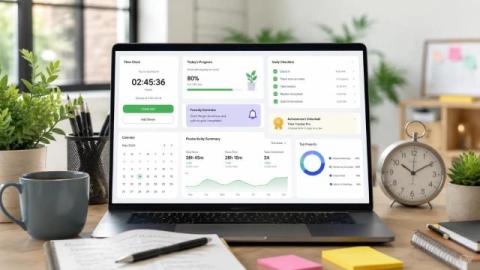
How to Implement Time Tracking in a Company the Right Way

You announce time tracking apps to the team. Within a week, half your team is asking if they're being watched. Even worse, you see incomplete logs, and one person has logged eight hours of "project management" with no context. That's not a software problem. It's a rollout problem. Up next, you’ll know how to implement time tracking in a company without losing team trust. I’ll cover everything from writing your first policy to reviewing data that helps to implement.

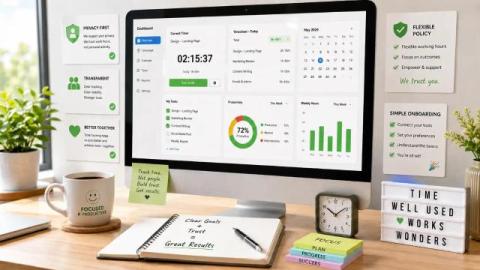
How to Reduce Resistance to Time Tracking Among Employees: 6 Simple Steps

Most managers assume employee resistance is about the time-tracking software itself. It's not. Most employees who resist time tracking aren't afraid of accountability. Instead, they are reacting to fear and unclear data policies. Most crucially, a system that hands all the visibility to managers and none to them. Let’s break down why this happens and how to reduce resistance to time tracking among employees.

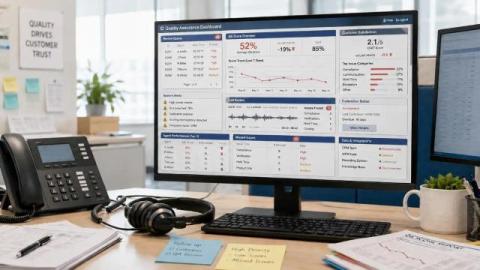
The Impact of Outdated Quality Assurance Tools in Call Centers

Every contact center operates for one purpose: great customer service. But when your QA is still manual, you are already losing ground at this point. Outdated tools leave 95%+ of interactions unanalyzed, create biased scoring, and push your best agents toward burnout. The result? Lower CSAT, higher turnover, and mounting compliance risk. Traditional QA tools are not enough anymore when modern solutions are available.

Tips to Make Call Center Agents More Productive

Unlike other jobs, call center work is more relentless. Here, a service center agent has to work between back-to-back calls, solve complex customer issues, and go through constant pressure. By working in that roller coaster work culture, it’s easy for virtual call center agents to feel burnt. So, in this blog, we are going to discuss effective tips that will help you make your agents more productive.

Time Management Tips for Call Center Agents

No matter what hectic job you are in, time management is the key to better results. The better you can manage time and handle issues, the more efficiently you can achieve your goals. In call center customer service, time management is your weapon. Call centers need to master their time management skills in order to maintain service quality and reach daily goals. In this blog, we are going to share the ultimate proven time management tips for call center agents. So, let’s dive in.

12 Essential Software and Technology for Modern Call Centers That Matter

The wrong tools cost your call center more than you think. Slow routing hurts your results. Disconnected data breaks the workflow. And when agents jump between systems, it adds delays. Together, these issues directly impact your numbers. That said, you already know you need software. But the real question is which tools actually matter and why. I’ll cover the essential software and technology modern call centers use. You'll know exactly which tools to prioritize and what each one does.

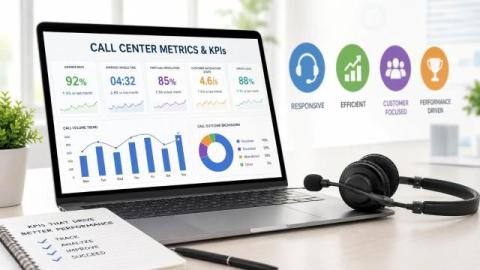
12 Standard Call Center Metrics and KPIs to Measure Performance

Most teams track everything and act on nothing. The real issue is knowing which ones signal a genuine problem and which ones just fill a dashboard. Today, I’ll walk you through the standard call center metrics and KPIs to measure performance. You’ll learn what each benchmark looks like and how to read the numbers before they turn into problems.

A Guide to Fostering Workplace Equality with Monitoring

As an employee, you might face a question in your mind: 'Why am I not?' If it's not you, then you’ve seen it before. A coworker gets promoted faster, but a talented teammate doesn't. It might not be intentional, but it happens more often than people realize. Managers can't know the details of their employees. So, they can't make the real assessments. That’s where workplace equality monitoring makes a real difference. It helps you see what’s actually going on behind the scenes.

How to Handle Sensitive Call Center Data [5 Simple Strategies]

A call center processes hundreds of customer interactions daily. Each one carries names, payment details, health records, or account credentials. That volume creates real exposure. And trust me, when I say that most breaches don't start with an external attack. They start with an agent who sees more than they should, or a process that was never properly defined. The consequences are serious. In 2024, a single data breach costs companies around the world an average of $4.88 million.

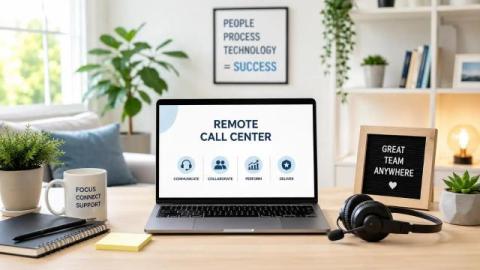
How to Run a Remote Call Center without Losing Team Visibility

Most virtual call centers fail because managers can’t see what is happening across their distributed team. So problems don’t announce themselves. Instead, CSAT scores start dropping. SLAs get missed. Agents quietly disengage from their shifts. That’s why knowing how to run a remote call center means solving the visibility problem first. Then, you build the operating model, scheduling system, and performance tracking around it. I’ll exactly cover that.

Apploye: Employee Monitoring & Productivity Platform.

Stop micromanaging and start leading with Apploye. Apploye is an all-in-one employee monitoring and productivity platform designed to help you build a high-performance team. Gain full visibility into your team's workflow, streamline time-tracking, and automate administrative tasks, all in one place. Why Choose Apploye? Monitor Workflow: Track work hours, activity levels, and web/app usage. Manage Teams: Effortlessly manage timesheets, attendance, and leave requests.

Silent Employee Tracking: Apploye Stealth App Setup

Monitoring productivity shouldn't be a distraction. In this video, we’ll walk you through the complete setup of the Apploye Stealth App, designed for seamless, silent tracking that runs in the background without requiring manual input from your team. What You’ll Learn: How to add the Stealth Mode addon How to download and install the Apploye Stealth app Best practices for transparent monitoring.