Teams | Collaboration | Customer Service | Project Management

How to use Workflows in M-Files

With workflows, the routines of the organization can be widely automated and tasks can be assigned to the right people at the right time. Users receive e-mail notifications about task-related issues, and managers can monitor task progress and approve completed tasks. Other Helpful Resources: - For more information about Training and Learning solutions.
ECM Trends: AI, Cloud, and Content Services

Enterprise Content Management is changing quickly as organizations demand faster, safer, and more flexible ways to handle information. Modern ECM systems focus on more than document storage. They connect content management processes with business operations, improve data governance, and support regulatory compliance. The future points toward content services, AI, and cloud-based solutions that make ECM platforms more intelligent and easier to adopt.

How to Implement ECM Effectively

Selecting an Enterprise Content Management (ECM) system is an important step, but the true value comes from a successful implementation process. An effective ECM implementation ensures that the technology supports business processes, improves document management, and strengthens records management. With the right planning and focus on user adoption, an ECM solution becomes a lasting asset for the organization.

M Files Workspaces by Tony Grout

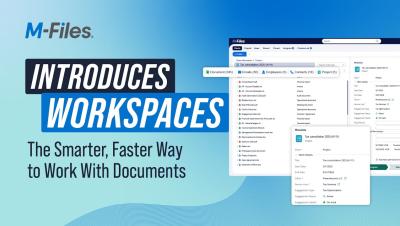
Unlock the Power of Context-First Document Management with a platform that works for you! M-Files Workspaces answers the need to encapsulate business processes and applications inside the user experience. It's one single pane of glass that lets you access your project overviews, clients or accounts associated with that project, the team members involved and all the related documents (contracts, proposals...).

Workspaces: Context-First Document Management

Today we're diving into M-Files Workspaces, a breakthrough in how businesses manage documents, projects, and processes. Joining us is Tony Grout, Chief Product Officer at M-Files, who shares what makes Workspaces a game-changer for knowledge workers and why it represents the next evolution of document management.

Introducing M Files Workspaces: A Powerful New Way to Experience Context-First Document Management

Introducing M-Files Workspaces—the cutting-edge, context-first document management solution engineered to empower businesses with unified access to documents, projects, and stakeholders in a single, intuitive role-based workspace. Harnessing the power of M-Files’ context-first architecture and advanced AI engine Aino, Workspaces transforms document management by simplifying navigation, providing instant access to relevant content, and offering complete visibility into the user’s workflow context.

How to Create Views in M-Files

In M-Files, documents and other objects can be categorized into different views according to their metadata. Creating views is largely based on specifying the metadata used for searching and categorizing documents. Views allow you to save frequently used searches and define grouping levels. For information about searching for documents, refer to Searching. Other Helpful Resources.