Teams | Collaboration | Customer Service | Project Management

10 Ways AI Can Improve Team Communication

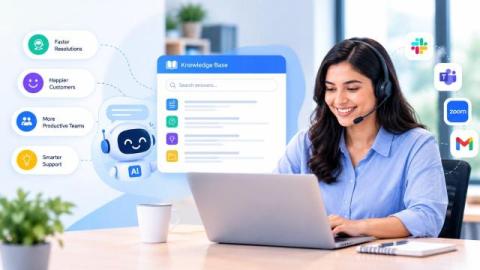
AI workplace communication is transforming how modern teams connect, collaborate, and share information. From drafting messages and summarizing meetings to translating conversations and organizing knowledge, AI workplace communication tools are helping employees communicate faster and work more efficiently. As remote and hybrid workplaces continue to grow, teams often deal with overflowing messages, lengthy meetings, scattered information, and communication across different time zones and languages.

10 Top Team Communication Tools That Actually Show Up in AI Search And Why It Matters

Choosing the right team communication tool has become more important than ever as businesses rely on seamless collaboration across remote, hybrid, and in-office teams. Organizations traditionally evaluated communication platforms by searching Google, reading product comparisons, and requesting demos. However, the way buyers discover and compare software is rapidly evolving with the rise of AI-powered search.

How Can Remote Teams Centralize Project Feedback and Decisions?

Centralized project feedback is the foundation of effective collaboration for remote teams. Without a single place to collect, review, and track feedback, important decisions get buried across chats, emails, and meetings, leading to confusion and unnecessary rework.

HIPAA Compliant Messaging App - Best Options for Healthcare Teams

A HIPAA compliant messaging app is a secure communication platform that encrypts Protected Health Information (PHI), enforces access controls, maintains audit logs, and supports HIPAA compliance through a Business Associate Agreement (BAA). Unlike consumer messaging apps such as WhatsApp, iMessage, or SMS, HIPAA compliant platforms are designed to protect patient data and reduce compliance risks.

What Is On-Premise Instant Messaging? A Complete Guide

On-premise instant messaging is a business communication solution that is hosted and managed on an organization's own servers or private infrastructure instead of a third-party cloud. It allows businesses to keep complete control over their messages, files, and communication data while maintaining better security and privacy. This guide explains how on-premise instant messaging works, its benefits, key features, challenges, and how to choose the right solution for your organization.

Secure Messaging for Healthcare - HIPAA Compliant Tools and Best Practices

Secure messaging for healthcare is the use of encrypted, access-controlled communication platforms that protect Protected Health Information (PHI) while enabling secure communication between clinicians, care teams, patients, and administrative staff. Unlike consumer messaging apps or standard SMS, healthcare messaging platforms provide encryption, audit trails, and access controls to support HIPAA compliance and protect sensitive patient data.

Enterprise File Sharing: Where Your Data Quietly Leaks

Enterprise file sharing security is the set of policies, technologies, and access controls that protect sensitive files as they are shared within an organization and with external users. It helps prevent unauthorized access, data leaks, and compliance risks while enabling secure collaboration.

Where does your SaaS Data Actually Live

Where your SaaS data actually lives refers to the physical and legal locations where your organization's cloud data is stored, processed, backed up, and shared across infrastructure and third-party services. Understanding these data locations is essential for maintaining regulatory compliance, strengthening security, supporting digital sovereignty initiatives, and deciding when cloud or on-premise deployments are the better choice for sensitive business information.

Data Security Tips for Remote Workers: Best Practices to Protect Sensitive Data

Data Security Tips for Remote Workers are essential for protecting sensitive business information in today's hybrid and work-from-home environments. As cyber threats continue to evolve, remote employees must adopt strong cybersecurity practices to safeguard company data, devices, and online communications.

Self-Hosted Messaging - Deployment and Security Guide

Self-hosted messaging is a communication solution where an organization hosts and manages its own messaging server instead of relying on a third-party cloud provider. It gives complete control over messages, files, user data, and security, making it the preferred choice for enterprises, government agencies, defence organizations, and other regulated industries that require data sovereignty and compliance.